

Cisco Training Courses

Cisco Training Courses

Insoft has been serving IT industry with authorized Cisco courses training, since 2010. Find all the relevant information on Cisco training on this page.

View More

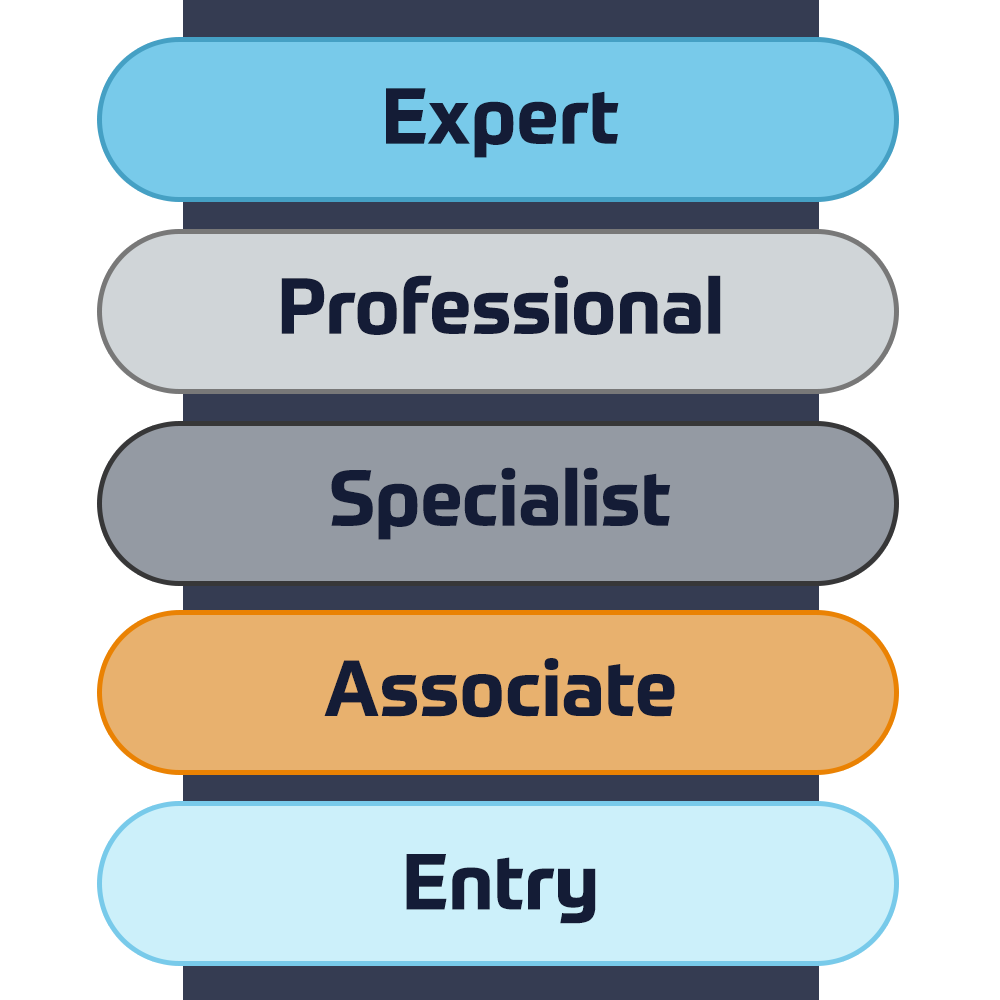
Cisco Certifications

Experience a blended learning approach that combines the best of instructor-led training and self-paced e-learning to help you prepare for your certification exam.

View More

Cisco Learning Credits

Cisco Learning Credits (CLCs) are prepaid training vouchers redeemed directly with Cisco that make planning for your success easier when purchasing Cisco products and services.

Have CLCs and want to redeem them?

Cisco Continuing Education

The Cisco Continuing Education Program offers all active certification holders flexible options to recertify by completing a variety of eligible training items.

View More

Cisco U

Cisco U. is customized to achieve your learning needs as this provides learning paths that includes wide range of topics, including CCNA, Cloud and Network Automation Essentials.

Browse Catalogue

Cisco Business Enablement

The Cisco Business Enablement Partner Program focuses on sharpening the business skills of Cisco Channel Partners and customers.

View More

Fortinet Technical Certifications

Insoft Services´ training capabilities rely on the excellence of our exclusive Fortinet Certified Trainers (FCT). We are dedicated to providing high-quality training to Fortinet Customers and Partners.

View More

Fortinet Technical Courses

Insoft is recognised as Fortinet Authorized Training Center in selected locations across EMEA.

View More

ATC Status

Check our ATC Status across selected countries in Europe.

View More

Fortinet Services Packages

Insoft Services has developed a specific solution to streamline and simplify the process of installing or migrating to Fortinet Products.

Browse Packages

Prepforce Bootcamp

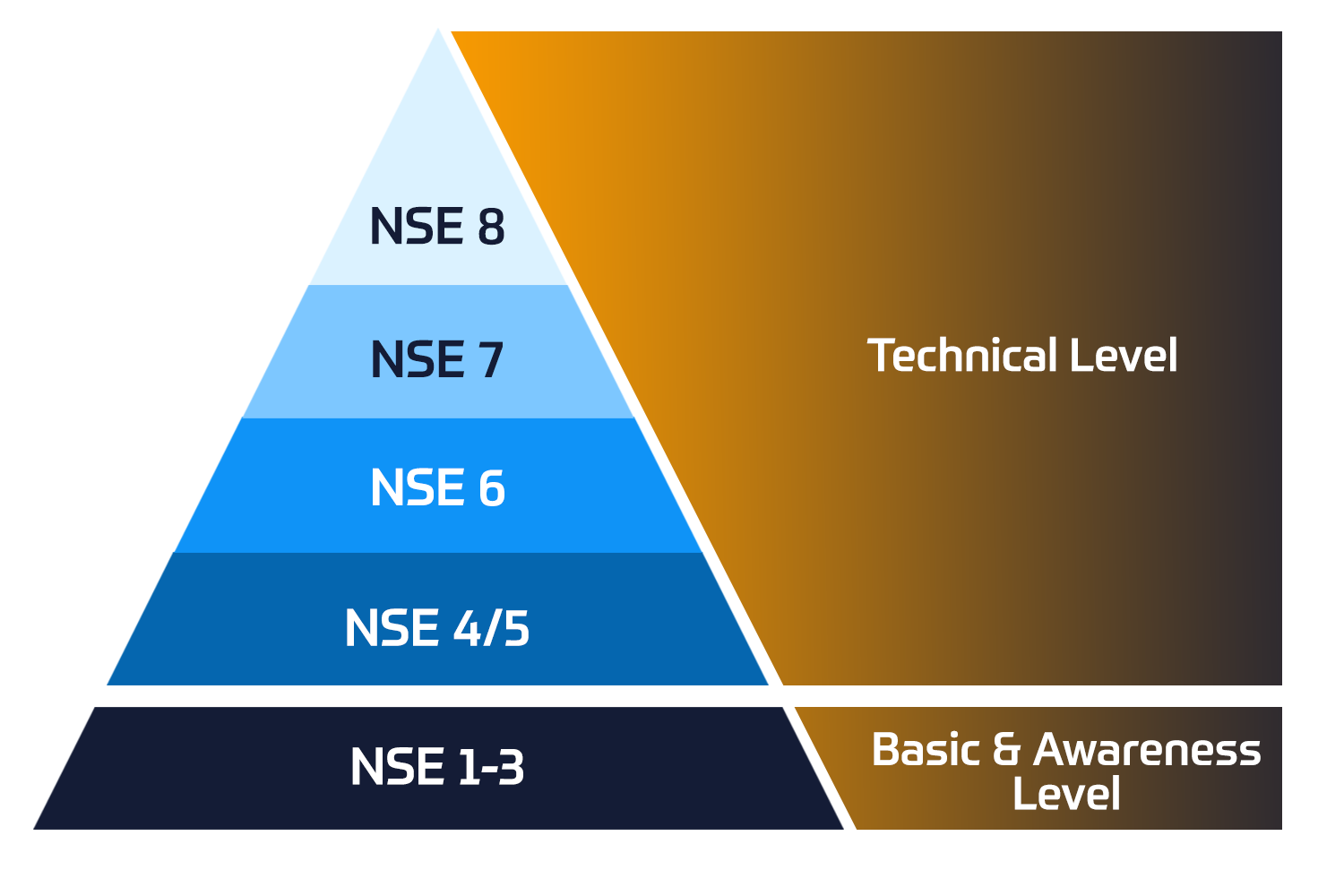
The only comprehensive source available today to prepare for Fortinet NSE 8 certification globally.

View More

Microsoft Training

Insoft Services provides Microsoft training in EMEAR. We provide Microsoft technical training and certification courses that are led by world-class instructors.

View More

Technical Training

The evolution of Extreme Networks Technical Training provides a comprehensive progressive pathway from Associate to Professional accreditation.

View More

ATP Accreditation

As an authorised training partner (ATP), Insoft Services ensures that you receive the highest standards of education available.

View More

Technical Training

The training includes self-paced labs for hands-on AWS practice in real-life scenarios, allowing you to learn at your own pace, in class, at work, or online.

View More

AWS Certifications

Having AWS certification means being on top of new and emerging cloud computing technologies that guide business transformation and growth, giving IT professionals and enthusiasts a significant advantage.

View More

AWS Certification Track

Explore AWS certifications designed for diverse roles, offering career growth, skill enhancement, and practical exam preparation to excel in cloud computing and AI technologies.

View More

What we do

Through our global presence and partner ecosystem, we provide strategic IT consulting services to align IT services with customers' business goals.

View More


We are pleased to launch pre-scoped Enterprise Networking Consulting Packages, our ready-made solutions, tailored to ensure efficiency and cost containment.


View More


We specialize in the deployment of vendor-specific automation tools as well as open-source and vendor-independent solutions, that can be tuned in accordance with the business needs of a specific organization.


View More


We provide comprehensive IoT consultancy, deployment and support solutions for businesses that want to launch or improve their use of connected technologies.


In a world where technologies are evolving rapidly, every company - business needs a partner to rely on and trust for the smooth and secure operation of its network infrastructure.

View More


In a world where technologies are evolving rapidly, every company - business needs a partner to rely on and trust for the smooth and secure operation of its network infrastructure.

View More


In a world where technologies are evolving rapidly, every company - business needs a partner to rely on and trust for the smooth and secure operation of its network infrastructure.


View More


In a world where technologies are evolving rapidly, every company - business needs a partner to rely on and trust for the smooth and secure operation of its network infrastructure.


View More
Cisco Training Courses


We provide the highest level of expertise on Cisco consultancy services, that target audits of your current network and implementing updates for improved operational performance, secure data and compliant systems.

View More


We provide the highest level of expertise on Fortinet consultancy services that target audits of your current network and implementing updates for improved operational performance, secure data and compliant systems.

View More


Our team can help enterprises, get the most value from Extreme products and services following our predefined value-added packages or custom ones that fits business needs.


View More


TXOne Networks provides cybersecurity solutions that ensure the reliability and safety of ICS and OT environments through the OT zero trust methodology protecting assets for their entire life cycle.


View More

About Us

Our training portfolio includes a wide range of IT training from IP providers, including Cisco, Extreme Networks, Fortinet, Microsoft, to name a few, in EMEA.

View More

CompTIA A+ Certification Training (APLUS)

Contact Us

We would love to hear from you. Please complete this form to pre-book or request further information about our delivery options.

Data Protection & Privacy

I consent to receive emails and/or calls from Insoft Services related to the Insoft Services´ products and services.
I acknowledge that my data will be collected and processed as described in the Insoft Services privacy policy.

Close

CompTIA A+ Certification Training (APLUS)

Enroll Now
Duration
5 Days
Delivery
(Online and onsite)
Price
Price Upon Request

Start your tech career with CompTIA A+, the industry standard certification for entry-level roles. Trusted by employers worldwide, A+ builds foundational skills in hardware, software, networking, troubleshooting, and security. The latest version, V15, is updated for today’s technology and prepares you for roles like IT support specialist and help desk technician through two exams—Core 1 and Core 2.

Associated Certification:

  • Exam Codes: 220-1101 & 220-1102
  • Install, configure, and maintain hardware components and devices effectively.
  • Diagnose and resolve issues with PCs, mobile devices, and software applications.
  • Understand networking basics and configure wired/wireless SOHO networks.
  • Apply basic cybersecurity methods to mitigate threats and secure systems.
  • Install and support multiple operating systems, including Windows, Linux, and macOS.
  • Explain virtualization and cloud computing concepts and their applications.
  • Follow best practices for safety, environmental impacts, and effective communication.
  • Provide customer support using appropriate troubleshooting and communication skills.
  • Gain a respected certification that validates your foundation in tech and prepares you for success in your career.

This course prepares students to complete the corresponding exam. The CompTIA A+ Core 1 (220-1101) and CompTIA A+ Core 2 (220-1102).

CompTIA A+ Core 1 (V15)


Mobile Devices 

  • Hardware setup: installing components like batteries, cameras, and Wi-Fi antennas.
  • Accessory options: configuring USB, Bluetooth, NFC, and docking stations.
  • Network setup: configuring Wi-Fi, Bluetooth, cellular data, and synchronization settings.
  • Troubleshooting: identifying and fixing hardware and connectivity issues.

Networking 

  • Protocols and ports: learning about networking protocols, ports, and wireless technologies.
  • SOHO networks: setting up small office/home office networks, including IP addressing and VPNs.
  • Networking tools: troubleshooting with crimpers, cable testers, and Wi-Fi analyzers.

Hardware 

  • Component installation: setting up RAM, CPUs, and storage devices.
  • Cables and connectors: working with HDMI, Ethernet, and USB cables.
  • Peripheral devices: installing and maintaining printers, scanners, and other peripherals.
  • Motherboards and power: configuring motherboards, power supplies, and cooling solutions.

Visualization and Cloud Computing 

  • Virtualization concepts: understanding virtual machines, hypervisors, and desktop virtualization.
  • Cloud models: learning about IaaS, SaaS, and PaaS.

Hardware and Network Troubleshooting 

  • Diagnosing issues: identifying and fixing hardware, network, and connectivity problems.
  • Troubleshooting tools: using multimeters, cable testers, and loopback plugs

CompTIA A+ Core 2 (V15)


Operating Systems 

  • OS installation: working with Windows, macOS, Linux, and mobile operating systems.
  • Windows tools: managing systems with Task Manager, Command Prompt, and Disk Management.
  • File systems: handling file systems, updates, and OS upgrades.

Security 

  • Security measures: using encryption, access controls, and wireless security protocols.
  • Malware prevention: detecting, removing, and preventing malware threats.

Software Troubleshooting 

  • OS issues: diagnosing and resolving problems with operating systems and applications.
  • Mobile troubleshooting: addressing connectivity, app, and performance issues.
  • Security concerns: fixing unauthorized access and malware issues.

Operational Procedures 

  • Documentation: using best practices for system changes and documentation.
  • Safety and communication: following safety protocols and communicating effectively.
  • Backup and recovery: setting up workstation backups and recovery processes.

This course is designed for individuals who have basic computer user skills and who are interested in obtaining a job as an entry-level IT technician. This course is also designed for students who are seeking the CompTIA A+ certification and who want to prepare for the CompTIA A+ Core 1 220-1101 Certification Exam and the CompTIA A+ Core 2 220-1102 Certification Exam.

Start your tech career with CompTIA A+, the industry standard certification for entry-level roles. Trusted by employers worldwide, A+ builds foundational skills in hardware, software, networking, troubleshooting, and security. The latest version, V15, is updated for today’s technology and prepares you for roles like IT support specialist and help desk technician through two exams—Core 1 and Core 2. Associated Certification:
  • Exam Codes: 220-1101 & 220-1102
  • Install, configure, and maintain hardware components and devices effectively.
  • Diagnose and resolve issues with PCs, mobile devices, and software applications.
  • Understand networking basics and configure wired/wireless SOHO networks.
  • Apply basic cybersecurity methods to mitigate threats and secure systems.
  • Install and support multiple operating systems, including Windows, Linux, and macOS.
  • Explain virtualization and cloud computing concepts and their applications.
  • Follow best practices for safety, environmental impacts, and effective communication.
  • Provide customer support using appropriate troubleshooting and communication skills.
  • Gain a respected certification that validates your foundation in tech and prepares you for success in your career.

This course prepares students to complete the corresponding exam. The CompTIA A+ Core 1 (220-1101) and CompTIA A+ Core 2 (220-1102).

CompTIA A+ Core 1 (V15)


Mobile Devices 

  • Hardware setup: installing components like batteries, cameras, and Wi-Fi antennas.
  • Accessory options: configuring USB, Bluetooth, NFC, and docking stations.
  • Network setup: configuring Wi-Fi, Bluetooth, cellular data, and synchronization settings.
  • Troubleshooting: identifying and fixing hardware and connectivity issues.

Networking 

  • Protocols and ports: learning about networking protocols, ports, and wireless technologies.
  • SOHO networks: setting up small office/home office networks, including IP addressing and VPNs.
  • Networking tools: troubleshooting with crimpers, cable testers, and Wi-Fi analyzers.

Hardware 

  • Component installation: setting up RAM, CPUs, and storage devices.
  • Cables and connectors: working with HDMI, Ethernet, and USB cables.
  • Peripheral devices: installing and maintaining printers, scanners, and other peripherals.
  • Motherboards and power: configuring motherboards, power supplies, and cooling solutions.

Visualization and Cloud Computing 

  • Virtualization concepts: understanding virtual machines, hypervisors, and desktop virtualization.
  • Cloud models: learning about IaaS, SaaS, and PaaS.

Hardware and Network Troubleshooting 

  • Diagnosing issues: identifying and fixing hardware, network, and connectivity problems.
  • Troubleshooting tools: using multimeters, cable testers, and loopback plugs

CompTIA A+ Core 2 (V15)


Operating Systems 

  • OS installation: working with Windows, macOS, Linux, and mobile operating systems.
  • Windows tools: managing systems with Task Manager, Command Prompt, and Disk Management.
  • File systems: handling file systems, updates, and OS upgrades.

Security 

  • Security measures: using encryption, access controls, and wireless security protocols.
  • Malware prevention: detecting, removing, and preventing malware threats.

Software Troubleshooting 

  • OS issues: diagnosing and resolving problems with operating systems and applications.
  • Mobile troubleshooting: addressing connectivity, app, and performance issues.
  • Security concerns: fixing unauthorized access and malware issues.

Operational Procedures 

  • Documentation: using best practices for system changes and documentation.
  • Safety and communication: following safety protocols and communicating effectively.
  • Backup and recovery: setting up workstation backups and recovery processes.

This course is designed for individuals who have basic computer user skills and who are interested in obtaining a job as an entry-level IT technician. This course is also designed for students who are seeking the CompTIA A+ certification and who want to prepare for the CompTIA A+ Core 1 220-1101 Certification Exam and the CompTIA A+ Core 2 220-1102 Certification Exam.